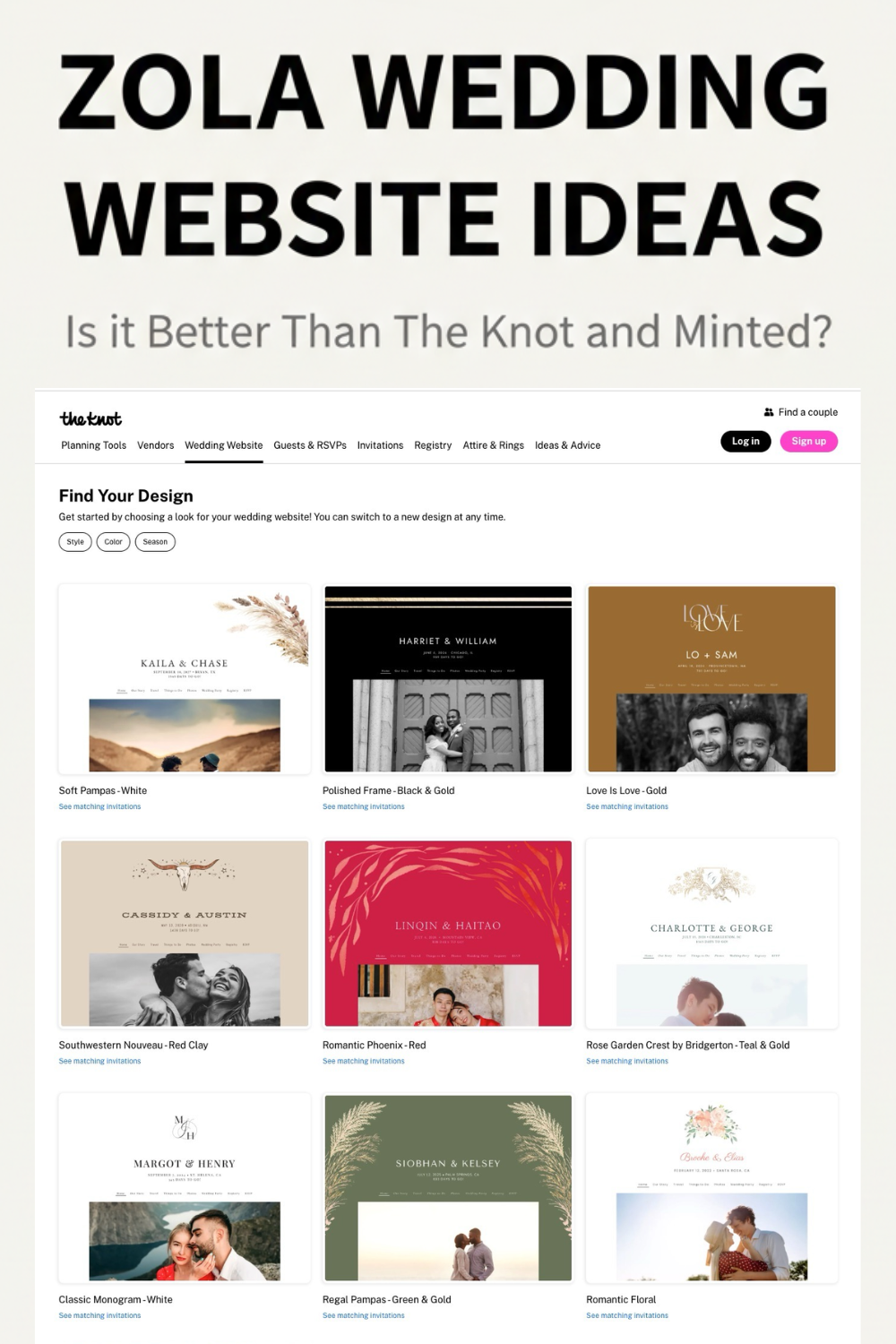
You need a platform that looks good and handles RSVPs without chaos.
I’ve broken down Minted vs Zola vs the Knot across the points that truly matter: design quality, guest tools, hidden registry fees, and privacy policies.

Based on hands-on workflow testing and current 2026 features, stop stressing and start with the one that matches your priority.
Let’s take a look at each in this Minted vs Zola vs The Knot article!
1. Minted Review
Minted in one sentence: The High-End Design Choice for Picture-Perfect Wedding Websites
Let’s be honest. When you first start looking at wedding website platforms, the gut-punch realization is that you usually have to choose: functional or drop-dead gorgeous. Minted is for the couple who simply refuses to compromise on aesthetics.
If you are a visual person, Minted’s entire workflow is built around you. It’s a design-first experience—perfect for visual cohesion, but potentially annoying if you prefer a checklist-first planning approach. Another critical first impression? Privacy. Minted understands the need for a private event, making password protection and granular privacy controls a natural, default step in your setup process.
Why Everyone Loves the Minted Look
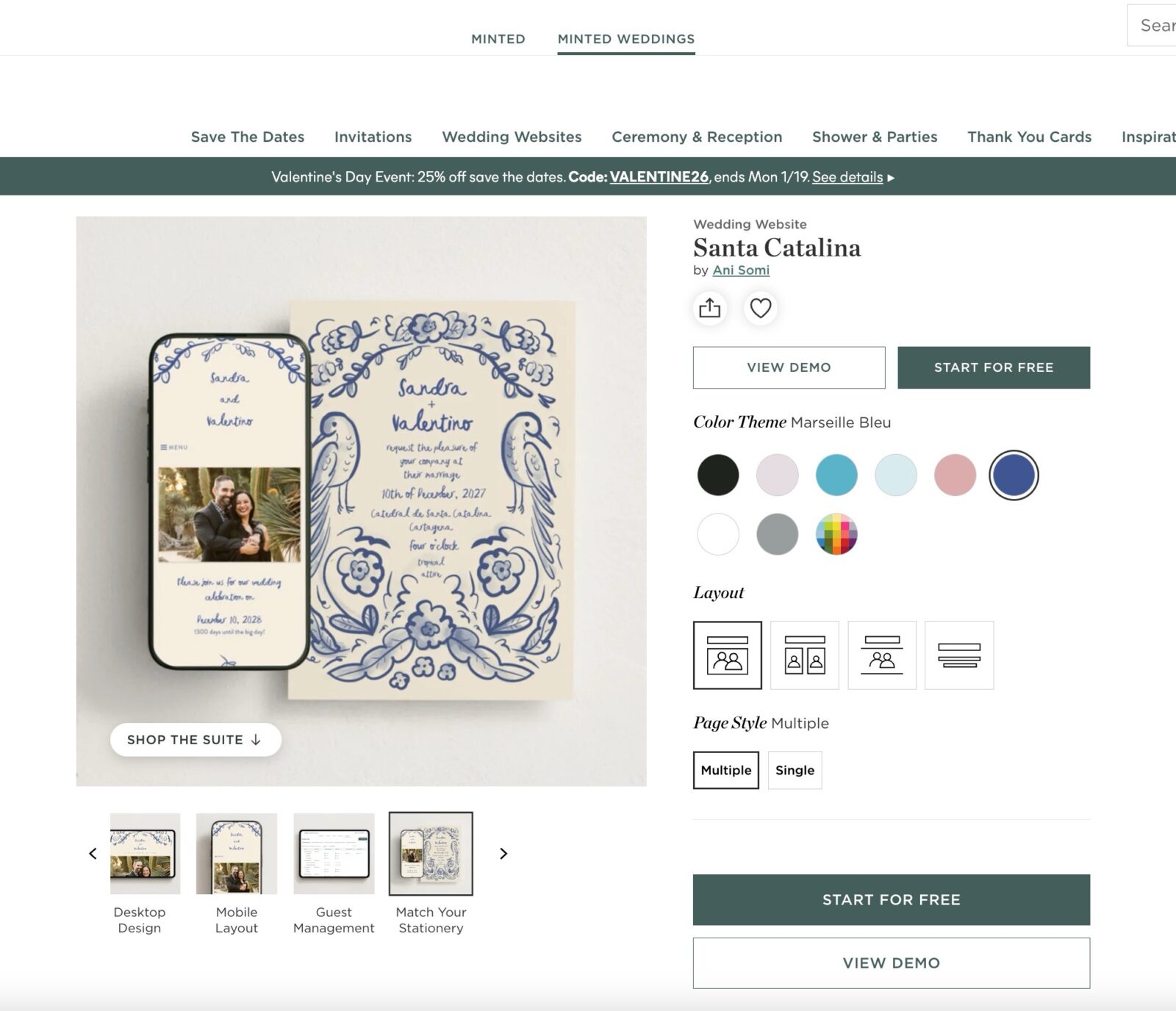
Minted consistently tops the “most beautiful” lists because it taps into hundreds of independent artists, giving you access to unique designs you won’t see everywhere else.
The real magic trick is the matching stationery suite. You select a design for your website, and Minted provides coordinating physical invitations, thank-you notes, menus, and day-of signage. Everything aligns perfectly, making your entire wedding aesthetic feel instantly curated. It’s the boutique design studio experience without the boutique price tag.
Worried about giving out a clunky URL like minted.com/wedding/yourname? You can upgrade to a custom URL (e.g., SmithsSayIDo.com) for a small, one-time fee (typically around $15). Even better, Minted handles all the technical domain setup stuff for you, eliminating that technical configuration headache entirely.
RSVP Management for Multi-Day Events
This is where Minted proves it’s not just a pretty face. Since modern weddings often involve multiple events—rehearsal dinner, welcome party, main event, brunch—Minted handles this complexity cleanly in the Guest Management section. You set up all activities on the main “Events” page and toggle the “RSVP Enabled” switch for each.
The game-changer here is private RSVPs. Minted allows you to tag specific events (like the wedding party luncheon or an intimate family brunch) so that only invited guests see those details when they log in to RSVP. This feature is huge, preventing guest confusion and avoiding the awkwardness of uninvited guests seeing events they weren’t meant to attend.
Need to capture crucial details like dietary restrictions, meal choices, or song requests? Minted supports custom questions per event. While you won’t get advanced branching logic (like deep conditional fields), you can gather all necessary data easily without resorting to external surveys.
Registry Integration and Cash Funds
Don’t stress about consolidating your gifts across platforms. Minted acts as a brilliant single-source link for all external registries you might have—whether that’s Target, Amazon, or Crate & Barrel. You place the link on your site, and guests are redirected seamlessly.
If you’re interested in non-traditional gifting, Minted supports the creation of your own cash funds (like a ‘Honeymoon Fund’ or ‘Cash Registry’). You get full control over setting up the fund, but this is a critical detail: always verify the current fees and processing structure during setup, as transaction costs are common on any platform handling money transfers.
The Bottom Line: Who Should Pick Minted?
Minted is surprisingly efficient; plan for maybe 30 to 60 minutes of active setup time if your core event details and photos are ready.
Pick Minted if:
- Your top priority is that guests say “wow” when they open your site.
- You are dedicated to the look of matching stationery and want seamless visual integration from the website to the physical invitations.
- You need simple, effective RSVP management for multiple, private events.
Don’t pick Minted if:
- You are an intense Type-A planner who requires a deep, integrated planning dashboard, budget tracking, and spreadsheet-style control over every single vendor interaction. (Its functionality is streamlined and focused purely on design and guest communication.)
PS: See this Minted Website Review for more information.
2. Zola Review
Zola in one sentence: The Registry-First Wedding Website
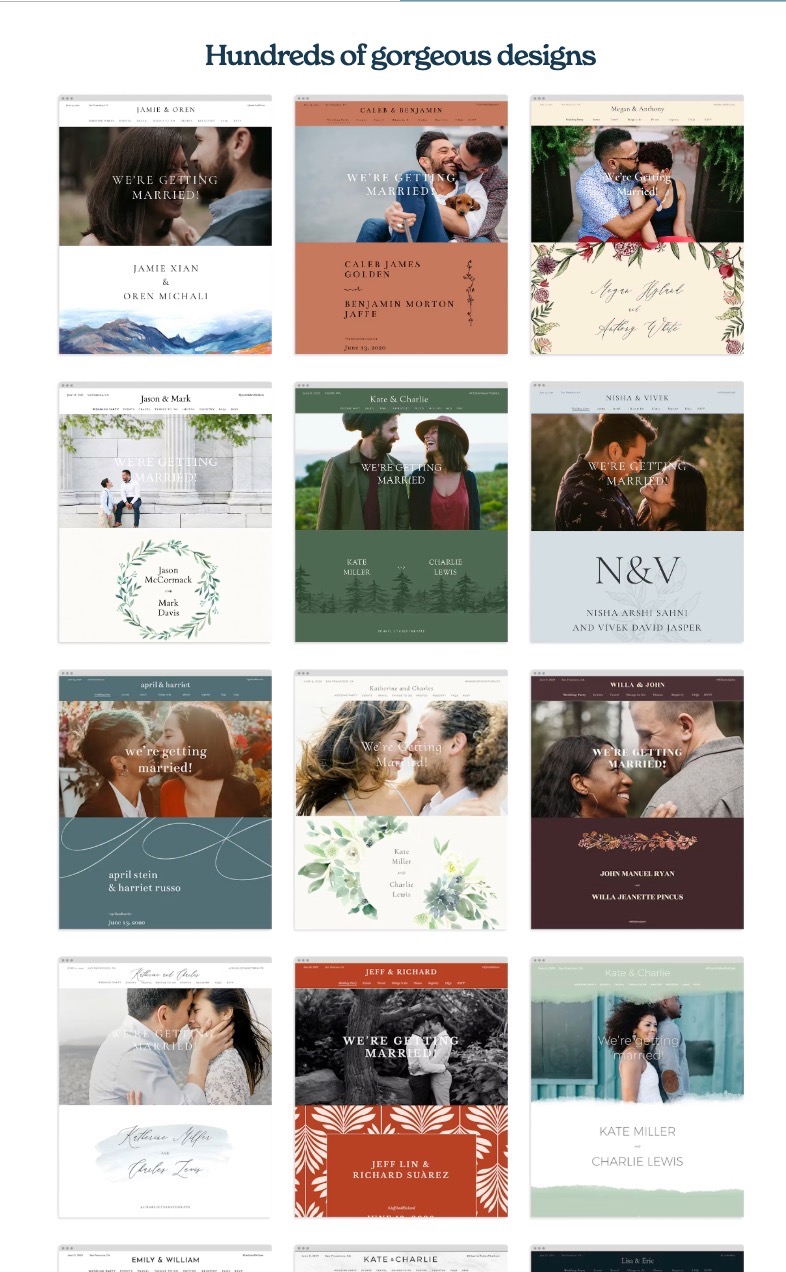
Zola is a machine built for seamless transactions and checklist completion. While its design templates are clean, modern, and perfectly acceptable, Zola’s true superpower is its robust backend—specifically for handling guest lists, complex RSVPs, and money. This review is for the couple whose primary focus is frictionless registry management and high-function tooling.
The Elephant in the Room: Zola Cash Fund Fees
If you’re asking guests for cash contributions (honeymoon funds, home funds, etc.), understanding the fee structure is crucial. When guests contribute using a credit card, there is a standard 2.5% transaction/processing fee.
Zola’s critical differentiator is that you control who absorbs this fee. You get two clear choices:
- Couple Absorbs Fee: You pay the 2.5% fee (guest contributes $100, you receive $97.50). This is the polite, guest-friendly option.
- Guest Pays Fee: The guest pays the 2.5% fee (charged $102.50, you receive the full $100).
Want to skip fees entirely? Zola offers a zero-fee Venmo contributions option. The only caveat is that guests might need to manually return and mark the contribution as complete after sending the funds. Zola maintains that it does not profit from these cash funds, keeping the focus practical.
Website Navigation and the Zola Ecosystem
Zola’s dashboard is streamlined and minimal—it feels more like project management software than a daunting creative suite. This clean design means minimal intimidation, which is a big win for busy couples.
Just be aware: Zola actively pushes you toward its integrated ecosystem (its own store, its own vendors). If you want a genuine one-stop shop, this approach is efficient; just know the platform has a strong bias toward its own services.
Managing Private Events and RSVPs
Zola’s RSVP management is robust but requires following its internal logic. A guest’s RSVP visibility is directly tied to their event invitation status (“Definitely Invited”) in the Guest List section.
Crucial Private Event Note: Events tagged as private (like a rehearsal dinner) are visible only during the invited guest’s RSVP flow. They do not appear on the public-facing “Schedule” page. This is a critical feature for avoiding uninvited guests and awkward questions.
The system easily captures custom questions and meal preferences per event, and you can export all your data to spreadsheets whenever you need a Type-A sanity check.
Custom URLs and Privacy Details
Ready to snag your custom domain? Zola sells them directly, with pricing starting around $17.99 for the first year.
A technical heads-up: Zola doesn’t offer domain masking. While your custom URL redirects guests, they may still see the longer Zola URL appear in the browser bar.
On privacy, take a proactive approach. Always check Zola’s latest policy update. If you post sensitive details like your venue or date, always password-protect the site. Pro Tip: Keep hotel block codes, shuttle schedules, and vendor contacts behind a password barrier to prevent random access and discount poaching.
When Zola Is Your Best Bet
Zola offers solid support coverage: 7 days a week, 10am–6pm EST via email. If registry function and cash fund control are your top priorities, Zola is designed for you.
Pick Zola if:
- Registry is your priority. You want the most registry-native experience with maximum flexibility regarding cash fund fees.
- You are a US-based couple that needs a clean, highly integrated planning tool.
- You value function and robust RSVP tooling over highly customized site layouts.
Don’t pick Zola if:
- You are allergic to the standard ecommerce nudges built into the platform.
- You require total control over CSS and site architecture.
3. The Knot Review
The Knot in one sentence: The All-In-One Planning Hub for Big Weddings
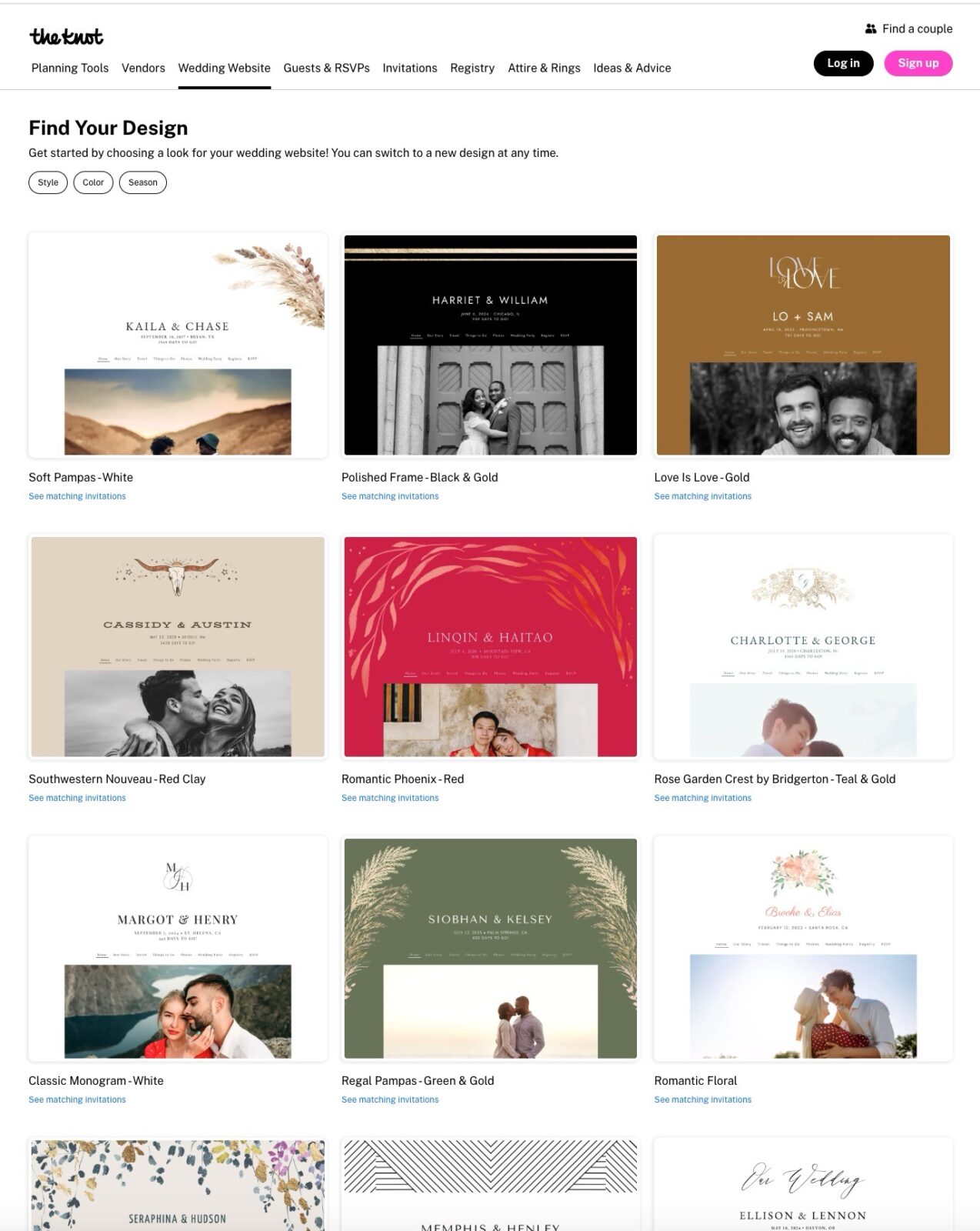
If your wedding plan needs structure, welcome home. The Knot is not a minimalist design platform; it’s the single source of truth built to manage every vendor detail, budget line, and sprawling guest list. It is designed for complex, large events that demand serious project management.
First Impressions: This Is Your New Planning Dashboard
Logging into The Knot feels like opening a detailed project management suite: tools, tabs, and checklists hit you immediately. Its sheer volume of features—integrated vendor management, budget trackers, and a huge resource directory—cements its reputation as the ultimate all-in-one wedding website. You won’t set this up in an hour; you’ll live inside it until the wedding day.
Navigating the Guest List Realities
The Knot handles complex guest lists, but knowing the friction points is key. You can set up custom RSVP questions, meal options, and dietary needs. These answers update directly in the Guest List tool, providing a single, unified data view.
Handling Private Events
Planning a private rehearsal dinner or post-wedding brunch? The Knot supports these private events, but their visibility differs from Zola or Minted. When toggled private, the event only displays within that guest’s RSVP flow. If they aren’t invited, they won’t see it. Be aware that private events often have limitations on custom content and formatting within the RSVP pop-up—keep event details simple!
The Import Friction Tip
If importing an existing list, here is a golden nugget: start with only names and contact info. The Knot’s import tool becomes rigid when loading too much data (like addresses) initially, often forcing required fields you don’t yet have. Import names-only, then enrich the data later, directly in the platform.
A final, small point on data: If you encounter export friction when downloading your final lists, switch to Chrome. Some users report minor browser-sensitivity issues with data export on other browsers.
Cash Funds and Custom Domains
Need cash contributions for that epic honeymoon? The Knot offers Cash Funds, which come with a standard 2.5% transaction fee. Crucially, this fee is paid by the guest.
This fee is positioned as a card processing cost, which is standard across most platforms. Always run a test as a “guest” to ensure you understand exactly what contributors will be charged.
If you want a polished custom URL (e.g., YourNames2025.com), The Knot charges about $19.99 per year. Specialty domains, like a .wedding domain, might push that pricing slightly higher.
Privacy and Search Visibility Controls
For complex events, privacy is non-negotiable. The Knot offers strong visibility controls, allowing you to easily password-protect your entire site.
Beyond password protection, ensure you toggle the “appear in search engines” setting off for maximum invisibility.
A practical warning: If you’ve already shared the link publicly, de-indexing isn’t instantaneous. It might take up to 30 days for search engines to fully forget your site exists. Plan your privacy settings accordingly, well before you blast the URL publicly.
Bottom Line: Who Needs The Knot?
The Knot is best for couples planning events that require serious logistical chops: large guest counts, multiple events, and significant vendor coordination.
Pick The Knot if:
- You want the absolute most powerful, integrated all-in-one planning suite available, linking vendors, budget, and guests in one place.
- You have a large, complex event that needs rigid structure and you can tolerate the higher cognitive load.
Skip The Knot if:
- You prioritize minimalist design and zero cognitive load. The platform can feel overwhelming for simple events.
- You want a truly ad-free experience. (Ad placement is generally minimal but present.)
The Action Plan: How to Test Drive and Choose Your Wedding Website Platform
You know the feature battle, the fees, and the privacy pitfalls. Stop stressing about the comparison chart. Choosing your platform isn’t about theory; it’s about a quick, brutal validation test. Commit 30 minutes with your partner and run this workflow sanity check. Start by confirming your primary motivator.
Fast Decision Tree: Which Platform Owns Your Priority?
Don’t overthink this. If one point is your absolute non-negotiable, start here first.
- If matching stationery and outstanding design are your obsession: Minted is the winner. Your website aesthetic must align seamlessly with your physical invitations.
- If the registry is the centerpiece (cash funds, gifts, minimum moving parts): Zola is your best bet. It offers maximum control over cash fund fee allocation and integrated retail options.
- If you are planning huge logistics, need vendor discovery, and serious project management: The Knot wins. Accept the steeper learning curve for the depth of its integrated tools.
Ready to confirm your choice? Execute this 30-minute test drive. This checklist forces interaction with the platform’s biggest friction points: design flexibility, complex RSVPs, and money. If the platform fails, ditch it immediately.
The 30-Minute Execution Schedule (Do This Now)
This schedule minimizes wasted time by making you test essential functions right away.
Step 1 (5 Minutes): Design and Mobile Preview
Do not personalize yet; check foundational flexibility.
- Pick a generic template.
- Swap out the font and change the primary color palette. If this is complicated, the platform isn’t flexible enough for you.
- CRITICAL: Run the mobile preview. Most guests view your site on phones. If the mobile interface feels clunky or unresponsive, the design fails immediately.
Step 2 (10 Minutes): Validate Complex RSVP Needs
Confirm the platform handles multi-event weddings seamlessly.
- Create two separate events: The Ceremony (public) and the Rehearsal Dinner (private).
- Go to Guest Management and tag the Rehearsal Dinner as private or invite-only.
- Create two custom RSVP questions: Meal Choice and Dietary Restrictions/Allergies.
- Confirm that the platform allows you to export this specific data cleanly into a spreadsheet.
Step 3 (10 Minutes): The Money Check Dry Run
Confirm transaction costs to protect your guest experience.
- Add one external registry link (e.g., Target) and create one Cash Fund (e.g., Honeymoon Fund).
- Simulate a guest experience: Initiate a dry-run cash fund donation (do not complete the transaction).
- Look closely at the fee line item. Does the platform clearly state who pays the 2.5% transaction fee (you or the guest)? If this process is confusing, your guests will struggle.
Step 4 (5 Minutes): Privacy Confirmation
Confirm you control your data and private event details.
- Find the settings panel and turn on full password protection for the entire site.
- Locate SEO/Visibility settings and confirm you can toggle off Google search visibility.
Final Tie-Breaker Tips
If Minted and Zola both passed your validation test, these factors usually break the tie:
- Guest Demographics: If your guest list includes older relatives, choose the platform with the simplest RSVP flow (Zola is usually stronger one here).
- Export Reliance: Are you spreadsheet-dependent? Choose the platform whose data export tool provides the cleanest, most rigid real-time data (often Zola or The Knot).
- Vendor Integration: If you haven’t booked vendors yet, use The Knot’s integrated search tools. If you’re fully booked, ignore this feature entirely.
Frequently Asked Questions About Wedding Website Platforms
Which wedding website has the lowest cash or honeymoon fund fee?
The transaction fees are consistent across most platforms, typically 2.5% for credit card payments. Zola is the winner here, offering a zero-fee contribution option if your guests use Venmo directly. For standard credit card payments, Zola and The Knot charge 2.5% (The Knot passes it to the guest; Zola lets you choose).
Can I hide my wedding website from Google and other search engines?
Yes, every major platform, including Minted, Zola, and The Knot, allows you to toggle off search engine visibility. You should also password-protect your site for an added layer of privacy. Just remember: if you’ve already shared the URL publicly, it can take up to 30 days for search engines to fully de-index your page.
Can I link external registries from other stores?
Absolutely. All three platforms allow external linking (Target, Amazon, Crate & Barrel, etc.). Minted often excels at acting as a clean, centralized hub for all links. Zola and The Knot also support external links but generally try to guide guests toward their own integrated store options first.
Do these platforms share my guest data?
All sites collect non-public data (guest names, emails, addresses) for RSVP and communication purposes. Assume that any platform that is not password-protected is public. Always check the platform’s latest privacy policy. Minted and Zola have updated their policies recently, but the simplest security method is to password-protect your entire site immediately.
Can I switch platforms if I already sent save-the-dates?
Yes, you can, but it’s annoying. You will need a communication plan to message guests about the new URL and possibly update physical materials with URL redirects or new QR codes. Save yourself the headache and use the 30-minute test drive (above) before you ever print or send your site link.
Don’t forget to pin this to your Wedding Planning Board for later!