I won’t leave you hanging in suspense until the end. The short answer to my title question, “Should I sign up for Amazon’s wedding registry?”
Yes!
It’s free to sign up, and they’re Amazon—which means lots of stuff at great prices. But here’s the thing nobody tells you: actually using that registry without shooting yourself in the foot? That requires some insider knowledge.
Most guides skip the essential logistics. You need to make sure your guests can actually buy those gifts and that your 20% completion discount applies. Amazon tweaks its terms constantly, especially around third-party sellers and stock.
We analyzed the current 2026 policy notes to give you the fast, practical checklist you need.
Let’s get started!
1. Pinpoint Eligible Items for the Completion Discount
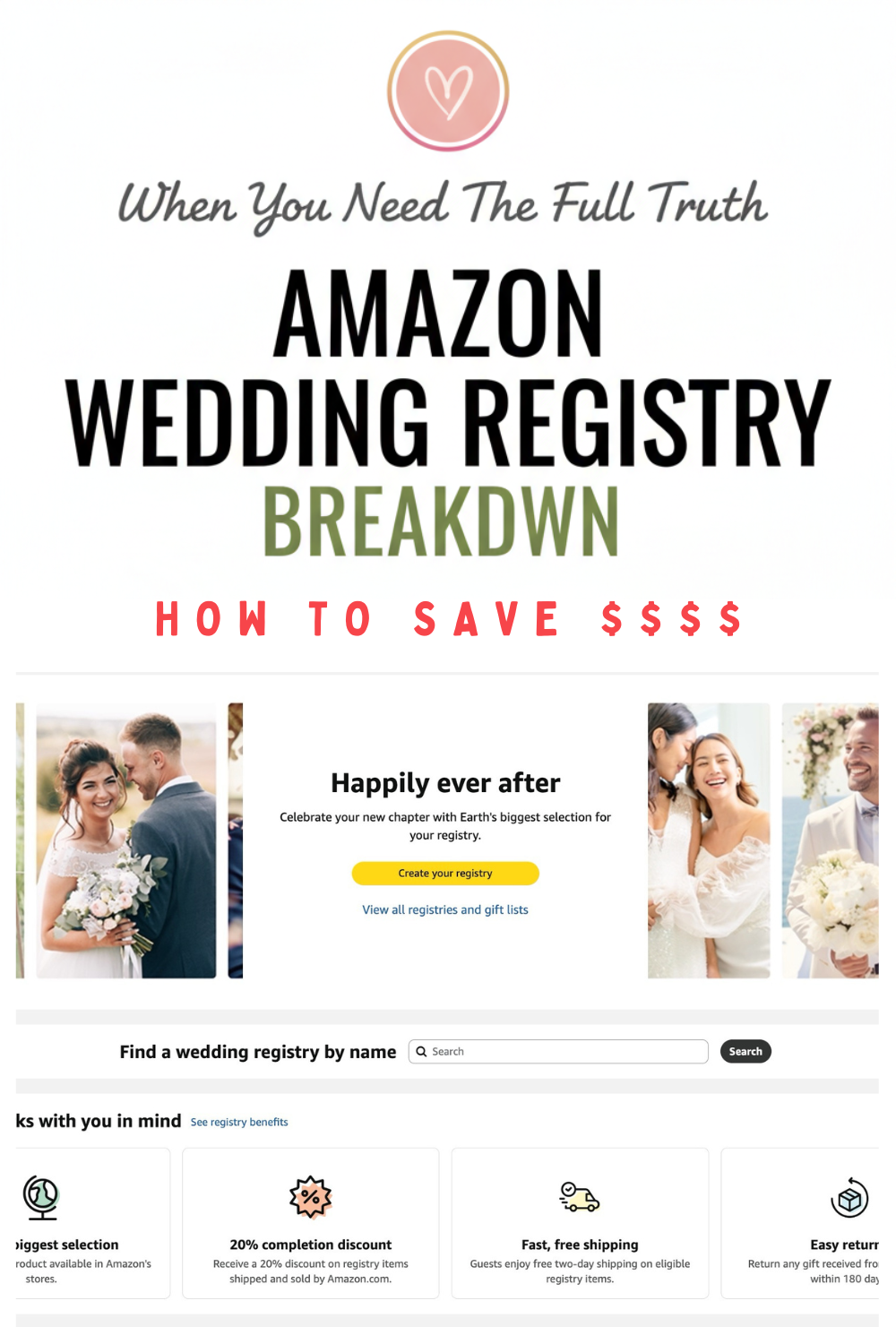
You want that sweet 20% Amazon wedding registry completion discount (10% for regular accounts, 20% for Prime members). Understand this first: not everything on Amazon is eligible, and this crucial policy nuance trips up every couple.
The Non-Negotiable Constraint
You must check the fine print under your registry’s “Benefits/Completion Discount” page. The deal-breaker is simple: the discount applies only to eligible items that are shipped and sold by Amazon. Just because an item is listed on Amazon doesn’t mean it’s eligible; most third-party (Marketplace) vendors are excluded from the discount.
To maximize savings, review your list now. Create a specific category—like “Discount-Eligible Buys”—just for items you plan to purchase later with the code. If guests ask about eligibility, use this polite script on your wedding website: “Completion discount may apply only to select Amazon-shipped items.”
2. The Two-Second Seller Check
I’m 99% certain you’ve browsed Amazon at some point in the past year. After all, they are one of the largest retailers online. But here’s what most people don’t realize: when speed-adding items to your Amazon wedding registry, not everything is actually from Amazon.
A two-second check saves you from potential shipping drama and complex return policies later on. On every product page, look just below the pricing and “Add to Cart” button for these two phrases:
- Ships from: This must read Amazon.
- Sold by: This should read Amazon or the official, verified brand name (e.g., “Le Creuset Official Store”).
If you see a vague or sketchy seller name with low reviews, skip it. These third-party items are unlikely to qualify for your registry perks.
For big-ticket items (like appliances or premium glassware), always prefer the official brand storefront or Amazon as the seller. This ensures reliability for your guests and guarantees you’re getting the easiest possible return process if the item arrives chipped. You can breathe a sigh of relief knowing Amazon handles those returns directly.
3. Balance Your Registry Prices (Stop Guests from Buying Gift Cards)
If guests feel priced out, they default to a gift card. The goal isn’t maximizing your wishlist value; it’s building a truly balanced registry where every guest finds a comfortable price point.
Amazon’s own tools, like the Gift Advisor during setup, nudge you to provide enough selection based on your guest count. Heed this advice. A good rule of thumb? Ensure you have ample options:
- Low Tier: Items under $50.
- Mid Tier: Items in the $50–$150 range.
If 70% of your list is $200+, you need to add fluff. Seriously. Include the practical, consumables, and organizational items that guests love to give, which keeps their shopping simple.
Easy Amazon Registry Wins
These categories are safe bets for securing gifts in the lower-to-mid price ranges: kitchen consumables (nice olive oil, coffee beans), organizational containers, high-quality linens or towels, smart plugs or basic tech gadgets, a nice home tool kit, and luggage packing cubes.
4. Leverage Group Gifting for Big Buys
Need those big-ticket items—like an espresso machine, patio set, or luggage set? You shouldn’t make one guest feel obligated to buy the whole $900 vacuum. Group gifting solves this by letting guests contribute smaller, comfortable amounts toward the final price.
What You Actually Receive
Here’s the biggest shocker: When the contribution goal is met, Amazon does not automatically ship the item. The total funds are delivered to you as Amazon credit or a gift card balance. This is actually genius: you get the flexibility to buy the item yourself, or use the funds for something else later if you change your mind.
Use a friendly note in the description for eligible items to explain the system: “We’re using group gifting for this [Item Name]! Any contribution is appreciated, and funds are delivered to us as Amazon credit.”
If the option isn’t showing, double-check your registry settings (it must be enabled) and confirm the item isn’t from a third-party seller (many are not eligible).
5. Amazon’s “Cash Fund” (And How to Ask Politely)
Can you ask for cash on Amazon without looking tacky? Yes, but know what you’re getting. Amazon doesn’t offer true cash funds; contributions are delivered as Amazon credit or gift card balances.
Guests value transparency. When registering for “funds,” frame the purpose around specific items you’ll actually purchase on Amazon. Do not imply it’s a honeymoon fund unless you’re purchasing travel through their platform (which is rare).
For polite clarity, use this language on your wedding website: “We are grateful for any gift! We are using this Amazon fund to purchase specific home upgrades (like the new vacuum!) and essential gear for post-wedding life.”
If you need actual dollar bills for travel or savings, pair your Amazon registry with a dedicated cash registry platform. Be specific and gracious about your intent.
6. Bulletproof Your Universal Registry Adds
I really like this feature. The universal registry tool lets you add perfect items from any website—like that vintage rug or specialty ceramic set—directly to your Amazon wedding registry ecosystem. Genius! It allows you to add more products to your registry from any other website, so that you can create an in-depth list of practically all your must-have gifts in one place.
But these external links are fragile. If the external item goes unavailable or the URL changes, your guest gets an error, not a gift.
The Redundancy Fix
You need a backup plan for external additions. In the item description, detail the exact size, color, and vendor. If possible, include a link to a similar, eligible Amazon item as a safety alternative. Crucially: take a quick screenshot for your planning binder in case the listing vanishes entirely.
Be warned: universal add items typically won’t qualify for the 20% completion discount or other Amazon perks. To keep your list simple and functional, limit external items to no more than 10–15% of your total registry. Guests want gifts, not a scavenger hunt.
7. Lock Down Your Shipping Details: Privacy Settings
The biggest registry anxiety? Will everyone see my home address? Amazon secures your location, but you must select the correct privacy settings during setup (adjustable later in your dashboard).
There are three modes:
- Private: Only accessible to you. Guests cannot find it via search. This is the best option to choose when initially building out your fantastic wish list. You can opt to change to one of the other privacy settings once complete.
- Public: Searchable by guest name. If you are counting on a complete stranger stumbling upon your registry and buying you a gift, then by all means choose this setting. This is also a good option if you know that some of your parents’ friends/neighbors who aren’t invited to the wedding may want to send a gift anyway.
- Shareable (Recommended): Only discoverable by those who have the direct link. If you are a private person and would like your event to be kept on the down low, this is the better option to select. This gives you maximum control over access.
Use the Shareable link on your wedding website or send it via email/text. Etiquette alert: Never print registry links on your formal invitation; that’s tacky.
For security comfort, guests never see your actual address when buying a gift. Amazon handles delivery logistics, shielding your private information and displaying only your city and state. Your location is protected—you can breathe easy.
8. Guide Guest Decision-Making with Priority Markers
Guests panic when faced with hundreds of options, leading them to stall out or buy weird, off-list items. Your goal is to eliminate decision fatigue and prevent abandoned carts.
Reduce Indecision Friction
Make your Amazon wedding registry feel personal by adding a couple photo and a short welcome note. Guests want to know what you need most, so be direct.
Do you have a few gifts on your registry that you need more than others? Let guests know by setting the priority on those items to say High Priority. Once you set a priority, your guests will be able to see which gifts are top on your wish list. Keep this designation limited to 8–15 items total; remember, if everything is a priority, nothing is.
You can also use the description box for micro-guidance. This is a fun way to tell your guests why you might need a certain item and how it will come in handy in the future. A little cheekiness helps:
- “We desperately need this in navy blue.”
- “Most Wanted: This completes our living room set!”
- “Please buy this so we can start making cappuccinos instead of wedding planning checklists.”
9. Stop the Out-of-Stock Horror Show: Weekly Maintenance
Let’s talk about the registry disappearing act. Note that some items may become unavailable from the 3rd party seller from the time you add the item to your registry and when a guest actually buys. Trending items often go out of stock right when guests start shopping for your shower, creating massive friction for gift-givers.
Fight this stock chaos by prioritizing evergreen basics for core needs. Unless you are truly inflexible, avoid hyper-specific, limited-edition colors or models that won’t be restocked.
Your registry isn’t static. You should regularly update your registry so that all items are available. Spend 10 minutes every Friday doing a quick sweep. If an item is unavailable, “temporarily out of stock,” or delayed past your wedding date, swap it for a replacement immediately.
10. Screening High-Value Items: Avoid Marketplace Knock-Offs
You’ve added that high-value item—the Dyson, the Le Creuset Dutch oven, or the fancy luggage set. Fantastic. Since Amazon is a chaotic marketplace, listings for popular items require quick risk management: you need genuine products, not warranty-free knock-offs.
It’s always important to do your own research and homework on products that you are interested in buying. Amazon’s huge database of customer recommendations and rating scale is handy to have at your disposal. And since Amazon is such a popular online store, you can really get an accurate sense of whether or not certain products/sellers are good by simply reading reviews.
For these “forever” items—the essential cookware or quality appliances—be stricter. Use this quick reliability checklist before you add them:
- Seller/Shipper Check: Look for Ships from Amazon and Sold by the official brand. Never compromise on big purchases.
- Review Volume: Look for hundreds or thousands of reviews. High volume signals a legitimate, established listing.
- Warranty Language: For tech, check for clear manufacturer’s warranty language. If the listing is silent, assume none exists.
A “green flag” means the official brand logo is present and pricing matches major retailers. A massive red flag is a random third-party seller listing a brand-name item at 60% off. If the deal seems too good, it absolutely is.
11. Strategize Your Delivery Address Logistics
You’ve handled the eligibility drama; now, let’s talk logistics. Returning from your honeymoon to sixty boxes piled high—or worse, stolen from your lobby—is definitely not the vibe we want.
Amazon lets you select your primary delivery address during registry setup. But here’s the smart play: if you’re moving soon, or leaving the day after the wedding, your main address might not be the right choice for that massive influx of gifts.
Choose a Safe Harbor
Tip: Amazon doesn’t offer the service to hold gifts at this time. If you are going to be away on your honeymoon and unable to accept packages, you might consider having gifts sent to a friend or relative’s address so they can accept and hold the packages until you return.
If you live somewhere with package theft risk, activate a temporary address strategy. Set the registry address to a trusted, reliable family member (like a parent) for a defined window.
If you choose this route, you must communicate this clearly. Too many delivery changes confuse guests, so keep it simple: Pick the safest address for the 60 days following your wedding and stick to it. You can always change it back later.
Keep in mind that not all items can be shipped internationally. If your registry has an international shipping address (anywhere outside the US) your guests will be notified if the order they have placed cannot be shipped to that address.
12. The “Thank-You Note Tsunami” Tracking System
Let’s talk wedding admin. The worst part of receiving gifts is the paperwork. A rock-solid tracking system is non-negotiable; trust your memory to manage vendors, not thank-yous. Your gift log must track three things: the item purchased, the giver, and the thank-you note status.
Good news: another handy feature is Amazon’s ability to keep track of all the gift buyer’s details. You will be able to see who purchased the item, their address, along with the gift they purchased. You’ll still have to keep your own list when opening all the gifts because not everyone will buy off the registry list. However, this feature does make a great reference point in case cards fall off gifts, get mixed up in a pile, and you don’t know who gave you a certain present.
Simple Workflow: Draft Before You Forget
Institute a weekly “Tsunami Check-in” during shower season. As packages arrive, log the item and the giver’s address immediately. If the card lacks a return address, grab it from your registry or wedding website now. Draft the note instantly, even if you don’t mail it. Future-you will worship Past-you for prioritizing this efficiency.
Quick Template: Use this simple structure: “Thank you for the [specific gift], we’ll use it for [specific purpose, e.g., movie night popcorn].” This simple workflow prevents you from staring down 200 blank cards post-honeymoon.
13. Maximize Your 180-Day Return Window
Amazon knows that it takes time to get organized after the chaos of planning a wedding. They kindly extend their normal 30 day return policy to 180 days for any item fulfilled by Amazon purchased off your wedding registry—a full six months to unpack and audit the haul.
The Post-Wedding Returns Plan
You don’t have to open every box the second you get back from the honeymoon. To avoid missing the deadline, build a smart returns plan:
- Keep Original Packaging: For electronics and high-value items, retain boxes and internal materials; returns often require them.
- The 30-Day Audit: Dedicate one weekend 30 days post-wedding to unbox everything and flag duplicates or unused items.
Dealing With Exceptions
Always confirm the item’s specific return policy details, as third-party vendors or specialty categories can have shorter deadlines. If an order is placed with a third party seller, returns and customer service are handled by that seller—in that case, you must contact your gift giver to initiate the return.
If a return is necessary, take advantage of Amazon’s convenient drop-off points to skip the shipping hassle. The gift giver won’t know the gift was returned, so no awkwardness there!
14. Amazon Registry Pairing: Why You Need Two Platforms
We’ve been honest: Amazon’s “cash fund” is often just gift credit. If your biggest goal is funding an epic honeymoon or a home renovation, you must diversify. Amazon is unbeatable for product selection and guest ease, but it falls short on true cash funds and integrated planning tools.
Your registry can absolutely be multi-platform—your marriage can handle it! The secret is transparent communication.
Pair Amazon (for your gadgets and kitchen essentials) with a dedicated fund site (like Honeyfund) for pure cash gifts, or a full planning suite (like Zola) that manages both experiences and product links. Don’t forget older relatives; pairing Amazon with one physical store (like Crate & Barrel) gives them a tactile shopping option.
Give your guests an easy choice. Use this simple line on your wedding website: “One link for products, one for experiences—choose what fits your style.”
15. The 30-Day Countdown: Your Final Registry Audit
Set a calendar reminder right now for 30 days before your wedding date—this is your immediate quick-win. This final, 15-minute audit prevents the chaos of guests encountering out-of-stock messages or buying duplicates. You want gifts, not frantic last-minute gift card purchases.
Before the 30-day mark, run this quick audit on your Amazon wedding registry:
Your Final Registry Maintenance Checklist
- Remove Unavailable: Delete any items marked unavailable or temporarily out-of-stock.
- Pricing Balance: Confirm you still have a healthy mix of affordable items, especially in the $50–$150 range.
- Group Gifting: Double-check that all big-ticket items still have Group Gifting correctly enabled.
- The Seller Check: Review high-value items one last time to confirm they are shipped and sold by Amazon.
- Privacy: Verify your sharing link and privacy settings haven’t randomly reset.
Bonus Tip: Schedule a secondary “Day-After Audit” (about two weeks post-honeymoon) to process returns and prep your completion discount order.
Amazon Wedding Registry Pros & Cons
Of course, there are always going to be some downsides to go along with the positives. Here’s the honest breakdown:
Pros
- Largest online selection of brands and items (they tout themselves as having the world’s largest selection!)
- Ability to add items from a variety of online retailers through Universal Registry capabilities
- Free shipping available (free two-day shipping for Prime members, free shipping over $49 for non-members)
- Helpful customer reviews and user-submitted questions and answers
- 10% completion discount (20% for Prime members) up to 90 days after your wedding
- Gift certificates are accepted on registries
- Free returns of gifts for 180 days; the gift giver won’t know the gift was returned
- Ability to add comments and set a priority for each item
- Thank-you tracking: see who purchased items, their address, and the gift they purchased
- Group gifting for big-ticket items
- Free to sign up!
Cons
- Amazon doesn’t offer holding gifts at this time
- If an order is placed with a third party seller, returns and customer service are handled by that seller
- Not all items can be shipped internationally
- Can’t walk into a store to see the actual item you are buying
- Some items may become “unavailable” from 3rd party sellers, requiring regular registry checks
- Completion discount only applies to items shipped and sold by Amazon
- “Cash funds” are delivered as Amazon credit, not actual cash
How to Sign Up for Amazon’s Wedding Registry
Listing gifts is the fun part. The logistics? Less so. Get through the technical setup fast so you can start picking out that ridiculously expensive vacuum you know you deserve.
Step 1: Amazon Account
If you don’t already have an Amazon account, you must first sign up for one. This is a very straightforward process where you add your name, email address, and password.
Step 2: Create Your Registry
After clicking “Create Wedding Registry” you will be prompted through three pages: About You, Your Wedding, and Your Privacy.
Step 3: About You

- First enter your full names and include your positions (i.e., Bride, Groom, or Partner)
- Check off whether or not you would like to invite your partner to edit your registry. Don’t forget to check this option, unless of course your partner has given you free reign and doesn’t want to be included in this process. I would highly doubt this is the case—Hello?! Gifts that you have chosen for yourself, who wouldn’t want to be included!
- Add the primary address to where the gifts should be sent
- Check off whether or not you would like Amazon to give third-party sellers your address
Step 4: Your Wedding Details

- Enter your wedding date (an estimate is fine if you are early)
- Enter your wedding location
- You can also enter the number of guests attending, but this is optional
- Another great benefit is that you can tell your guests you are going green! I know that it’s super fun to unwrap presents like it’s Christmas morning, but if you’d rather save a tree or two, choose to tell your guests that you would prefer no gift wrap
Step 5: Privacy Settings

Choose your visibility setting (we recommend “Shareable” as your default). You can also opt to include your registry in search results on TheKnot.com and WeddingChannel.com—your registry must first be visible to everyone for this to work.
You’ll also have options for signing up for email updates about your registry status (checking this box will give you email updates when a gift has been purchased) and receiving product offers and discounts (unless you want a potentially bloated inbox, just leave this box unchecked).
Step 6: Add Gifts to Your Registry

The fun part—adding gifts!
Amazon makes it really easy for you to shop online and find the products you want. The more difficult part is not adding absolutely everything to your registry. If you don’t already have a list of gifts in mind, you can use the suggested categories to shop by: Registry Favorites, Popular Wedding Gifts, Store Brands, and Gift Cards.
Once you have found the item that you would like, confirm the variant (color, size, model) before you click “Add to Registry.” If you want the Le Creuset Dutch oven in Deep Teal, confirm that specific color is selected before saving the item to your list.
Step 7: Personalize Your Registry

Add a personal touch to your wedding registry by uploading a small profile photo and changing the cover photo. You can even personalize the end of your wedding registry URL by entering a unique combination title that you would like (for example, MelissaAndTom).
Your wedding registry can easily be shared through your personal networks such as Facebook, Twitter, Pinterest, or even email. Or you can embed your wedding registry on your website with a provided HTML code.
Frequently Asked Questions
We’ve covered the policy drama and the best ways to keep your registry running smoothly. Now, let’s tackle those lingering questions:
Do guests need Amazon Prime to buy gifts from our registry?
Nope. Guests do not need a Prime membership to purchase items off your Amazon wedding registry. They simply check out as a regular user. The main difference is that non-Prime members will pay for shipping (if the order total is under the threshold) and receive gifts at standard delivery speed. To help them out, stock your registry with plenty of affordable items that are Prime-eligible, as these often come with free shipping regardless of guest status.
Why isn’t the 20% completion discount applying to an item?
The completion discount frequently trips couples up! The primary reason is that the item is likely not shipped and sold by Amazon. Other common snags include category exclusions (like gift cards or services), missing the required 30-day registration window, or trying to apply the discount to a Universal Registry add. Always confirm the seller details on the product page, and check the official policies under the “Benefits” section of your registry dashboard.
Can we add items from websites other than Amazon?
Yes, and you absolutely should! Amazon provides a Universal Registry tool that lets you add items from any external site directly to your list, keeping all your requests centralized. Be cautious: these external links are fragile. If the item goes out of stock or the retailer updates their site, the link can break. We recommend adding a description or screenshot note in case the item vanishes.
How does group gifting work if guests don’t fully fund the item?
The beauty of Amazon’s group gifting is that it reduces pressure on guests. Contributions are tracked, and even if the goal isn’t met, the funds collected are still delivered to you as Amazon credit. You receive the credit regardless of whether the item is fully funded, allowing you to choose when and how to complete the purchase. Just remember, don’t rely on group gifting for essentials you need immediately, since credit distribution can take a few days after the purchase date.
Can we keep our registry private but still share it with guests?
Yes, and this is the smartest option! Set your Amazon wedding registry to the Shareable privacy setting. This ensures that your registry won’t show up in public Amazon searches, keeping your list secure from strangers. However, anyone who receives your unique direct link (which you should place on your wedding website) will be able to access the registry and purchase gifts. This gives you maximum control without sacrificing guest access.
Go Forth and Register
Needless to say, you get the point that Amazon has a huge selection of products. It is mainly this fact that makes them a fantastic company to register for your online wedding registry.
Thanks for taking the time to read through our massive Amazon wedding registry review. We hope you found it helpful! If you like the looks of their service, then go sign up and add a few items to your own Amazon registry.
Good job, gift-giver. Good job.
If you want to see what other Wedding Registries are out there, please check out our Wedding Registry Review page.
Let us know if you have any questions in the comments section below.
Don’t forget to pin this to your Wedding Planning Board for later!